How to install MyBB in CentOS
Installation of MyBB in CentOS
MyBB is an Open Source Software was developed by using PHP and MySQL. Forum software will allows you to post private messages. It will require you to setup LAMP server. Installation of MyBB in CentOS is explained in this article.
To install MyBB
To install MyBB, setup LAMP environment by utilizing the following command.
[root@linuxhelp ~]# yum install httpd mariadb-server mariadb php -y
Loaded plugins: fastestmirror, langpacks
Repodata is over 2 weeks old. Install yum-cron? Or run: yum makecache fast
base
Trying other mirror.
(1/2): extras/7/x86_64/primary_db                                                                                                                           | 165 kB  00:00:00
(2/2): updates/7/x86_64/primary_db                                                                                                                          | 7.8 MB  00:06:16
Loading mirror speeds from cached hostfile
 * base: centos.webwerks.com
 * extras: centos.excellmedia.net
 * updates: centos.excellmedia.net
Resolving Dependencies
-->  Running transaction check
--->  Package httpd.x86_64 0:2.4.6-40.el7.centos.4 will be installed
-->  Processing Dependency: httpd-tools = 2.4.6-40.el7.centos.4 for package: httpd-2.4.6-40.el7.centos.4.x86_64
-->  Processing Dependency: /etc/mime.types for package: httpd-2.4.6-40.el7.centos.4.x86_64
-->  Processing Dependency: libaprutil-1.so.0()(64bit) for package: httpd-2.4.6-40.el7.centos.4.x86_64
-->  Processing Dependency: libapr-1.so.0()(64bit) for package: httpd-2.4.6-40.el7.centos.4.x86_64
--->  Package mariadb.x86_64 1:5.5.50-1.el7_2 will be installed
.
.
.
Dependency Installed:
  apr.x86_64 0:1.4.8-3.el7              apr-util.x86_64 0:1.5.2-6.el7                    httpd-tools.x86_64 0:2.4.6-40.el7.centos.4      libzip.x86_64 0:0.10.1-8.el7
  mailcap.noarch 0:2.1.41-2.el7         perl-Compress-Raw-Bzip2.x86_64 0:2.061-3.el7     perl-Compress-Raw-Zlib.x86_64 1:2.061-4.el7     perl-DBD-MySQL.x86_64 0:4.023-5.el7
  perl-DBI.x86_64 0:1.627-4.el7         perl-Data-Dumper.x86_64 0:2.145-3.el7            perl-IO-Compress.noarch 0:2.061-2.el7           perl-Net-Daemon.noarch 0:0.48-5.el7
  perl-PlRPC.noarch 0:0.2020-14.el7     php-cli.x86_64 0:5.4.16-36.3.el7_2               php-common.x86_64 0:5.4.16-36.3.el7_2

Dependency Updated:
  mariadb-libs.x86_64 1:5.5.50-1.el7_2

Complete!
Then install the PHP extension for database.
[root@linuxhelp ~]# yum install php-mysql -y
Loaded plugins: fastestmirror, langpacks
Loading mirror speeds from cached hostfile
 * base: centos.webwerks.com
 * extras: centos.excellmedia.net
 * updates: centos.excellmedia.net
Resolving Dependencies
-->  Running transaction check
--->  Package php-mysql.x86_64 0:5.4.16-36.3.el7_2 will be installed
-->  Processing Dependency: php-pdo(x86-64) = 5.4.16-36.3.el7_2 for package: php-mysql-5.4.16-36.3.el7_2.x86_64
-->  Running transaction check
--->  Package php-pdo.x86_64 0:5.4.16-36.3.el7_2 will be installed
.
.
.
Installed:
  php-mysql.x86_64 0:5.4.16-36.3.el7_2

Dependency Installed:
  php-pdo.x86_64 0:5.4.16-36.3.el7_2

Complete!
Move to the apache root directory and download the package for MyBB.
[root@linuxhelp ~]# cd /var/www/html/
[root@linuxhelp html]# wget https://resources.mybb.com/downloads/mybb_1807.zip
--2016-10-04 11:58:43--  https://resources.mybb.com/downloads/mybb_1807.zip
Resolving resources.mybb.com (resources.mybb.com)... 104.24.9.55, 104.24.8.55, 2400:cb00:2048:1::6818:837, ...
Connecting to resources.mybb.com (resources.mybb.com)|104.24.9.55|:443... connected.
HTTP request sent, awaiting response... 200 OK
Length: 2211839 (2.1M) [application/zip]
Saving to: ‘ mybb_1807.zip’

100%[=========================================================================================================================================> ] 2,211,839    456KB/s   in 6.2s

2016-10-04 11:58:51 (348 KB/s) - ‘ mybb_1807.zip’  saved [2211839/2211839]
Once you have done with the download, extract the package with unzip command.
[root@linuxhelp html]# unzip mybb_1807.zip
Archive:  mybb_1807.zip
   creating: Documentation/
  inflating: Documentation/credits.html
   creating: Documentation/images/
 extracting: Documentation/images/logo.png
 extracting: Documentation/images/notice_credits.png
 extracting: Documentation/images/notice_install.png
 extracting: Documentation/images/notice_license.png
 extracting: Documentation/images/notice_upgrade.png
  inflating: Documentation/index.html
  inflating: Documentation/install.html
  inflating: Documentation/license.html
  inflating: Documentation/stylesheet.css
.
.
.
inflating: Upload/task.php
   creating: Upload/uploads/
   creating: Upload/uploads/avatars/
  inflating: Upload/uploads/avatars/index.html
  inflating: Upload/uploads/index.html
  inflating: Upload/usercp.php
  inflating: Upload/usercp2.php
  inflating: Upload/warnings.php
  inflating: Upload/xmlhttp.php
After extracting you can see some directory “ Documentation” and “ Upload” rename the Upload directory into MyBB.
[root@linuxhelp html]# ls
Documentation  mybb_1807.zip  Upload
[root@linuxhelp html]# mv Upload mybb
Next configure the directory with user and group ownership along with the respected Selinux context and file permissions as shown in below commands.
[root@linuxhelp html]# chown -R apache:apache /var/www/html/mybb
[root@linuxhelp html]# chmod -R 775 /var/www/html/mybb
[root@linuxhelp html]# chcon -Rt httpd_sys_content_rw_t /var/www/html/mybb
Now start and enable the Mariadb services.
[root@linuxhelp html]# systemctl start mariadb
[root@linuxhelp html]# systemctl enable mariadb
ln -s ' /usr/lib/systemd/system/mariadb.service'  ' /etc/systemd/system/multi-user.target.wants/mariadb.service'
Set the root password for Mariadb.
[root@linuxhelp html]# mysql_secure_installation
/usr/bin/mysql_secure_installation: line 379: find_mysql_client: command not found

NOTE: RUNNING ALL PARTS OF THIS SCRIPT IS RECOMMENDED FOR ALL MariaDB
SERVERS IN PRODUCTION USE! PLEASE READ EACH STEP CAREFULLY!

In order to log into MariaDB to secure it, we' ll need the current
password for the root user. If you' ve just installed MariaDB, and
you haven' t set the root password yet, the password will be blank,
so you should just press enter here.

Enter current password for root (enter for none):
OK, successfully used password, moving on...

Setting the root password ensures that nobody can log into the MariaDB
root user without the proper authorisation.

Set root password? [Y/n] y
New password:
Re-enter new password:
Password updated successfully!
Reloading privilege tables..
... Success!

By default, a MariaDB installation has an anonymous user, allowing anyone
to log into MariaDB without having to have a user account created for
them. This is intended only for testing, and to make the installation
go a bit smoother. You should remove them before moving into a
production environment.

Remove anonymous users? [Y/n] y
... Success!

Normally, root should only be allowed to connect from ' localhost' . This
ensures that someone cannot guess at the root password from the network.

Disallow root login remotely? [Y/n] y
... Success!

By default, MariaDB comes with a database named ' test'  that anyone can
access. This is also intended only for testing, and should be removed
before moving into a production environment.

Remove test database and access to it? [Y/n] y
- Dropping test database...
... Success!
- Removing privileges on test database...
... Success!

Reloading the privilege tables will ensure that all changes made so far
will take effect immediately.

Reload privilege tables now? [Y/n] y
... Success!

Cleaning up...

All done! If you' ve completed all of the above steps, your MariaDB
installation should now be secure.

Thanks for using MariaDB!
Then login to the MariaDB database for creating the database user and database for MyBB.
[root@linuxhelp html]# mysql -u root -p
Enter password:
Welcome to the MariaDB monitor. Commands end with   or g.
Your MariaDB connection id is 10
Server version: 5.5.50-MariaDB MariaDB Server

Copyright (c) 2000, 2016, Oracle, MariaDB Corporation Ab and others.

Type ' help '  or ' h'  for help. Type ' c'  to clear the current input statement.

MariaDB [(none)]>  create database mybb
Query OK, 1 row affected (0.00 sec)

MariaDB [(none)]>  grant all privileges on mybb.* to mybbuser@localhost identified by ' 123'
Query OK, 0 rows affected (0.00 sec)

MariaDB [(none)]>  flush privileges
Query OK, 0 rows affected (0.00 sec)

MariaDB [(none)]>  exit
Bye
Next move to mybb/inc directory and rename the file config.default.php to config.php
[root@linuxhelp ~]# cd /var/www/html/mybb/inc
[root@linuxhelp inc]# mv config.default.php config.php
Configure virtual host by creating new configuration file for apache.
[root@linuxhelp ~]# vim /etc/httpd/conf.d/mybb.conf
Entry:

< VirtualHost*: 80>
ServerAdmin admin@linuxhelp.com
DocumentRoot /var/www/html/mybb/
ServerName linuxhelp.com
ServerAlias www.linuxhelp.com

< Directory /var/www/html/mybb/>

Options FollowSymLinks
AllowOverride All
Order allow,deny
allow from all

< /Directory>

< /VirtualHost>
Restart the apache services.
[root@linuxhelp ~]# systemctl restart httpd
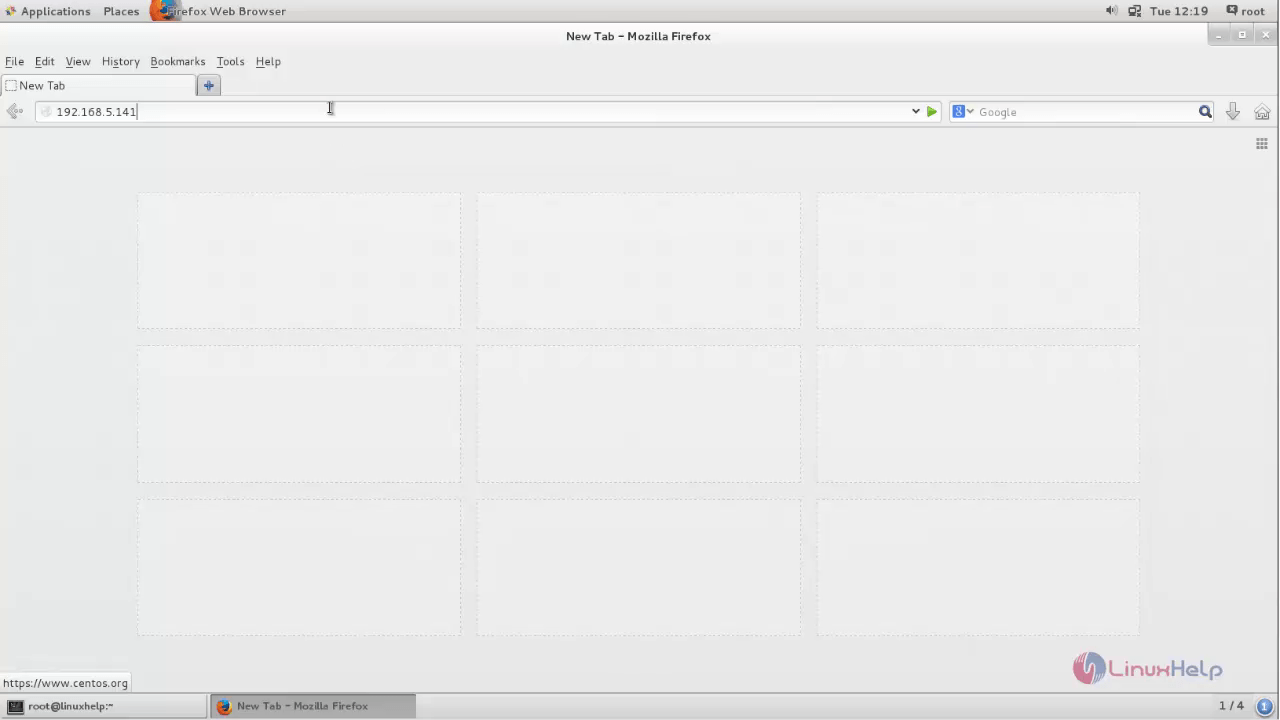
Then start with the basic installation and configuration of MyBB graphically. Open the browser and point to your IP_address.
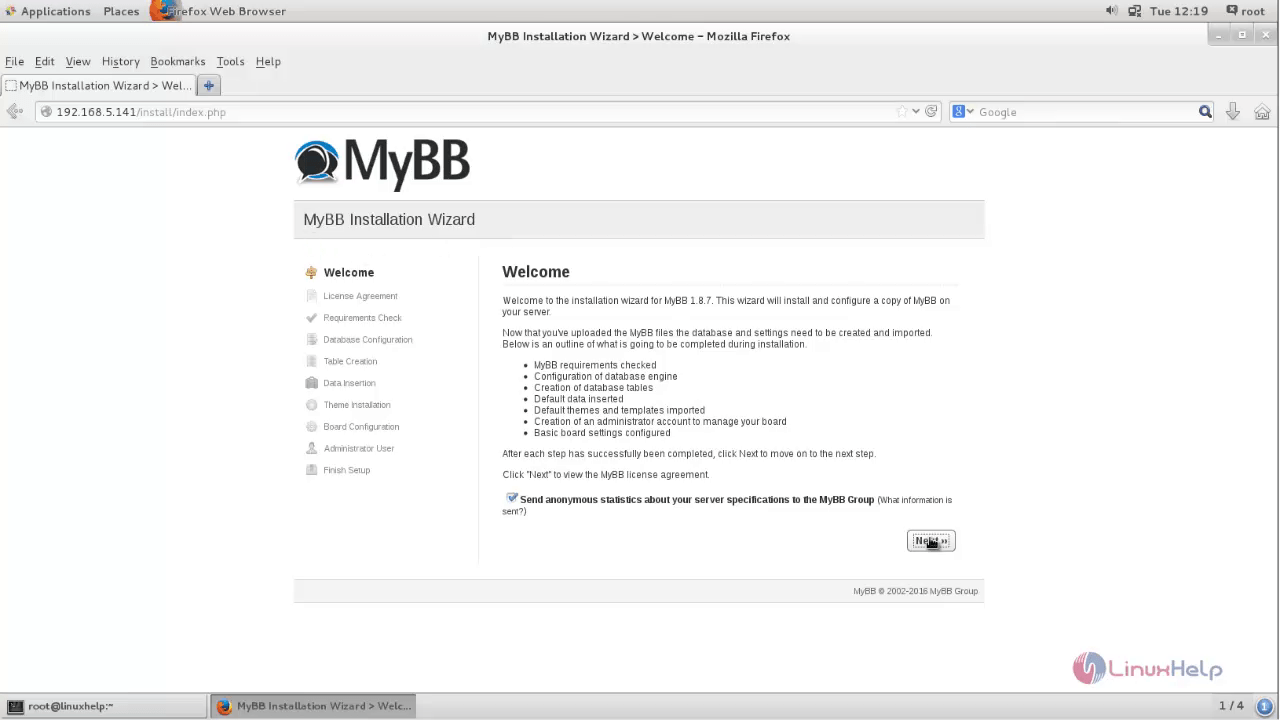
Read and accept the License Agreement to proceed further.
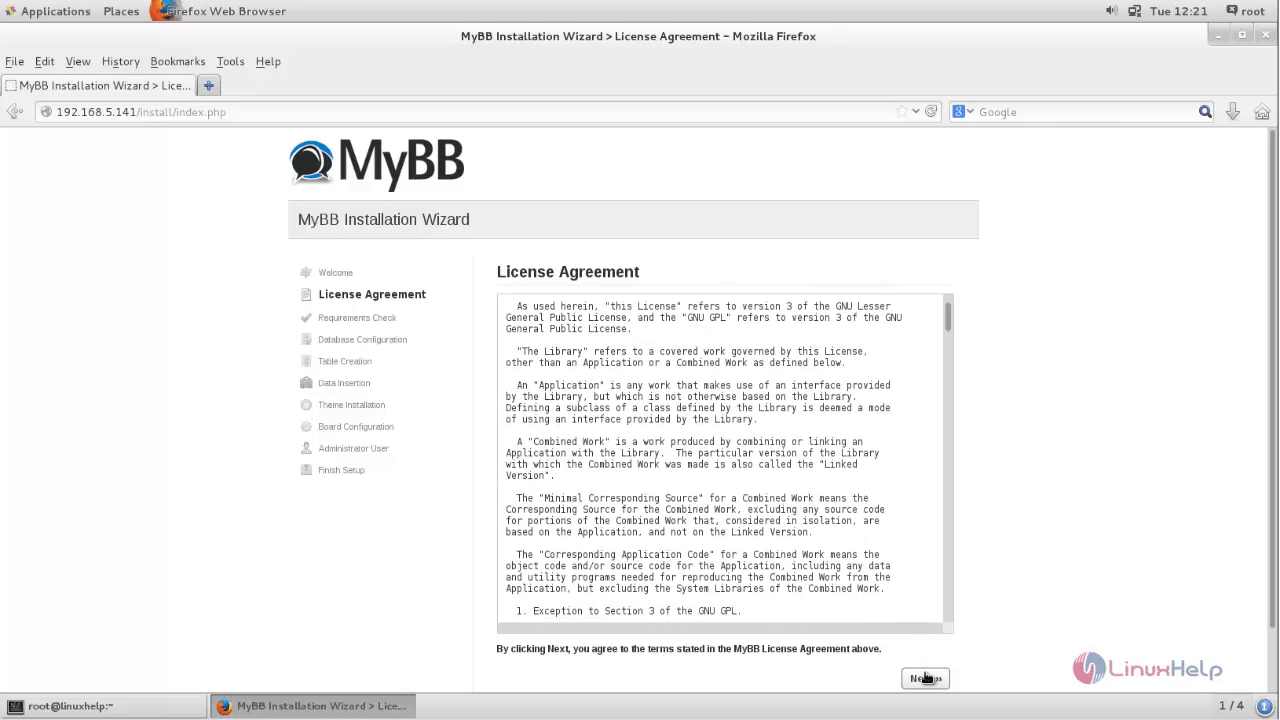
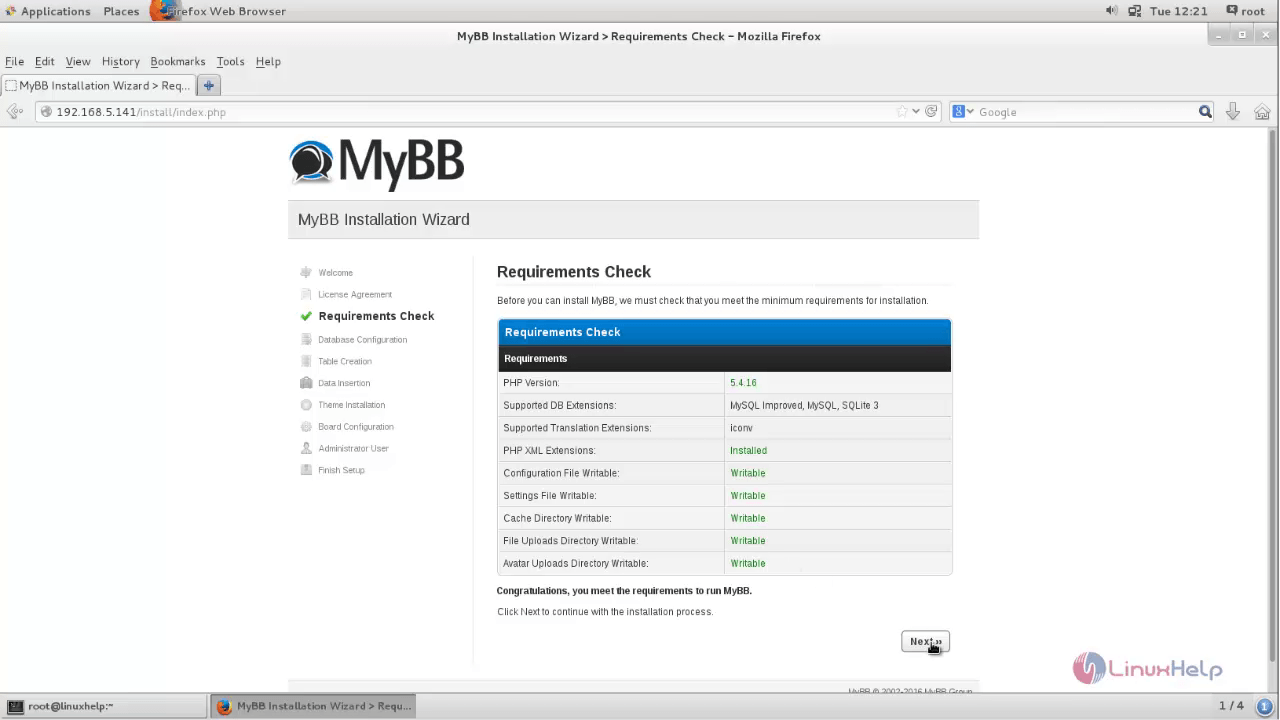
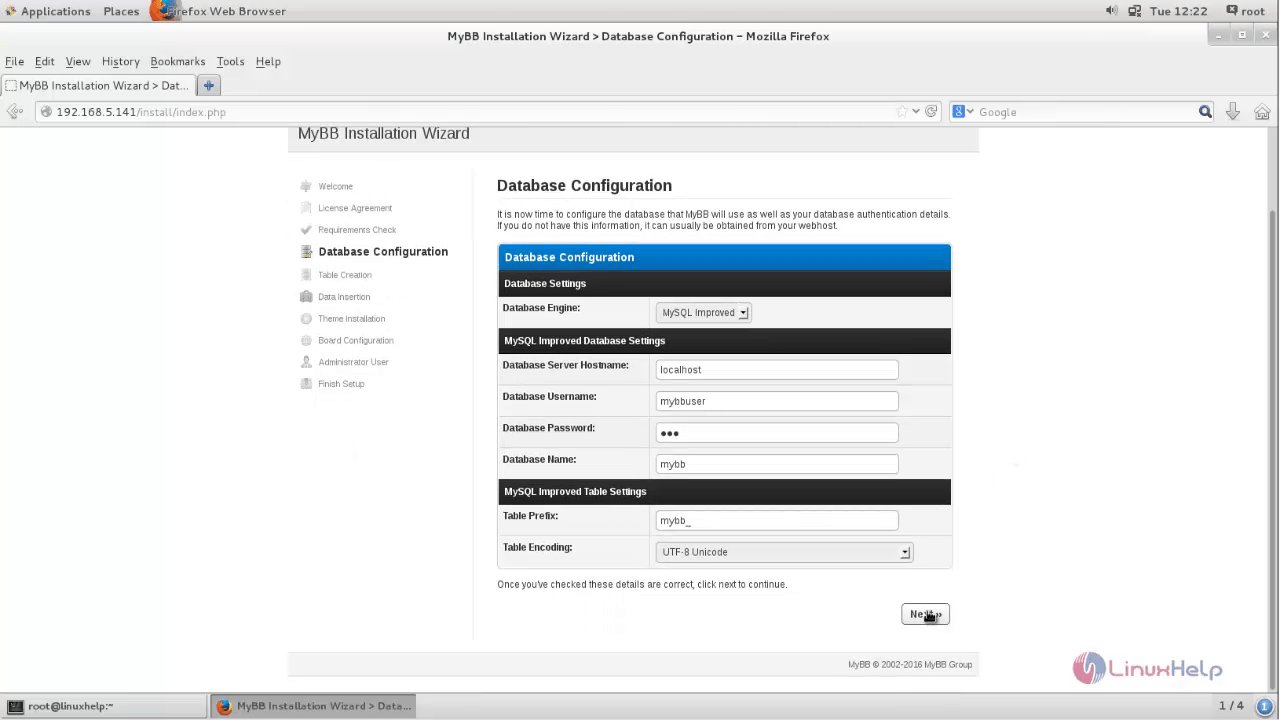
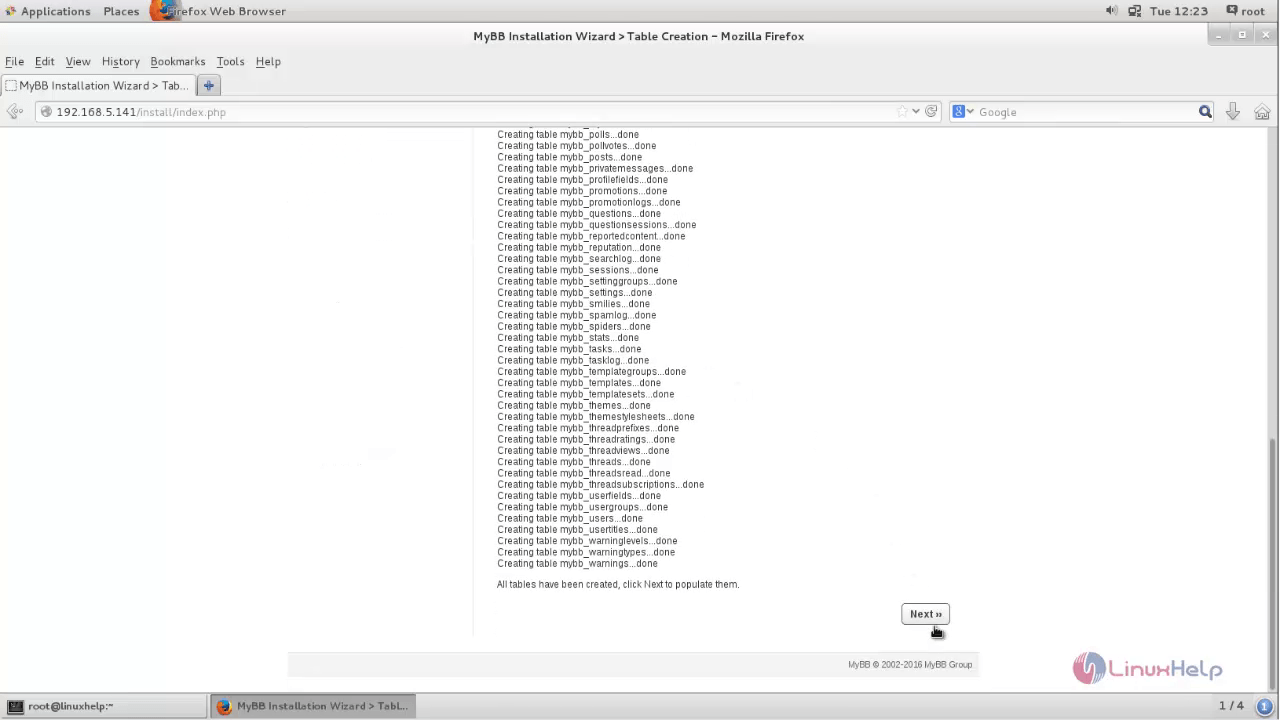
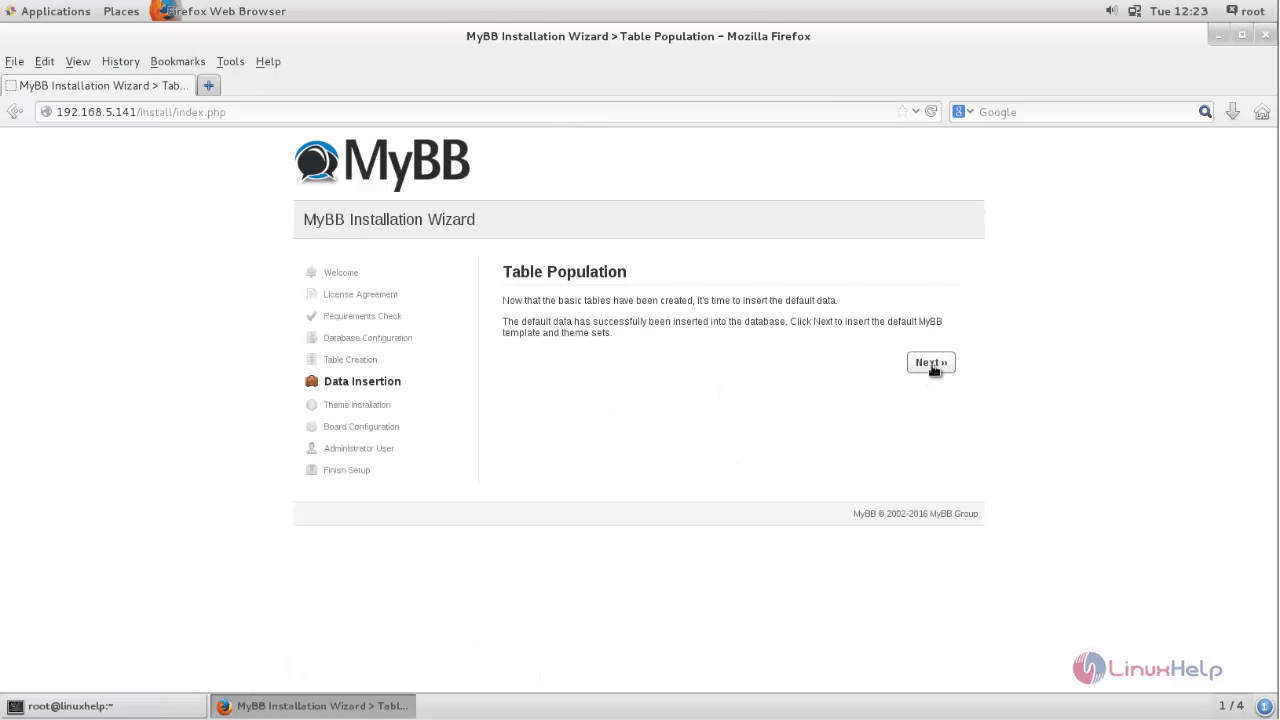
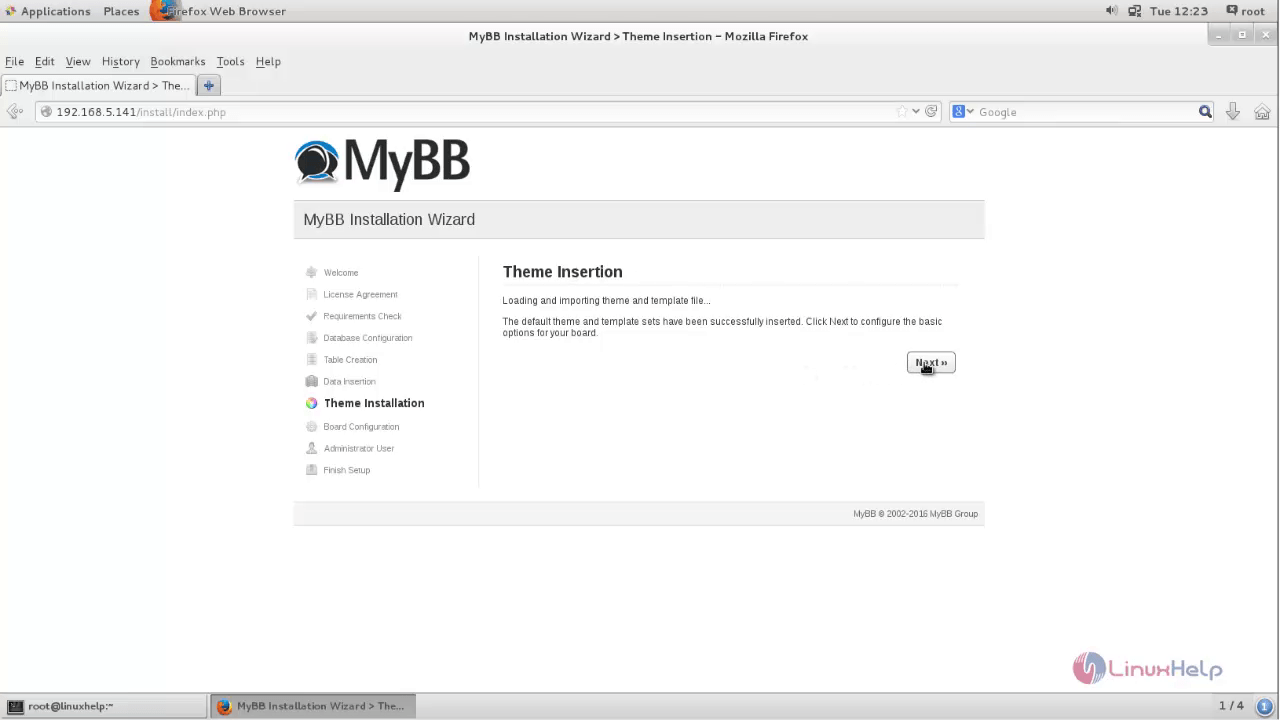
Then start configuring the database and click Next.
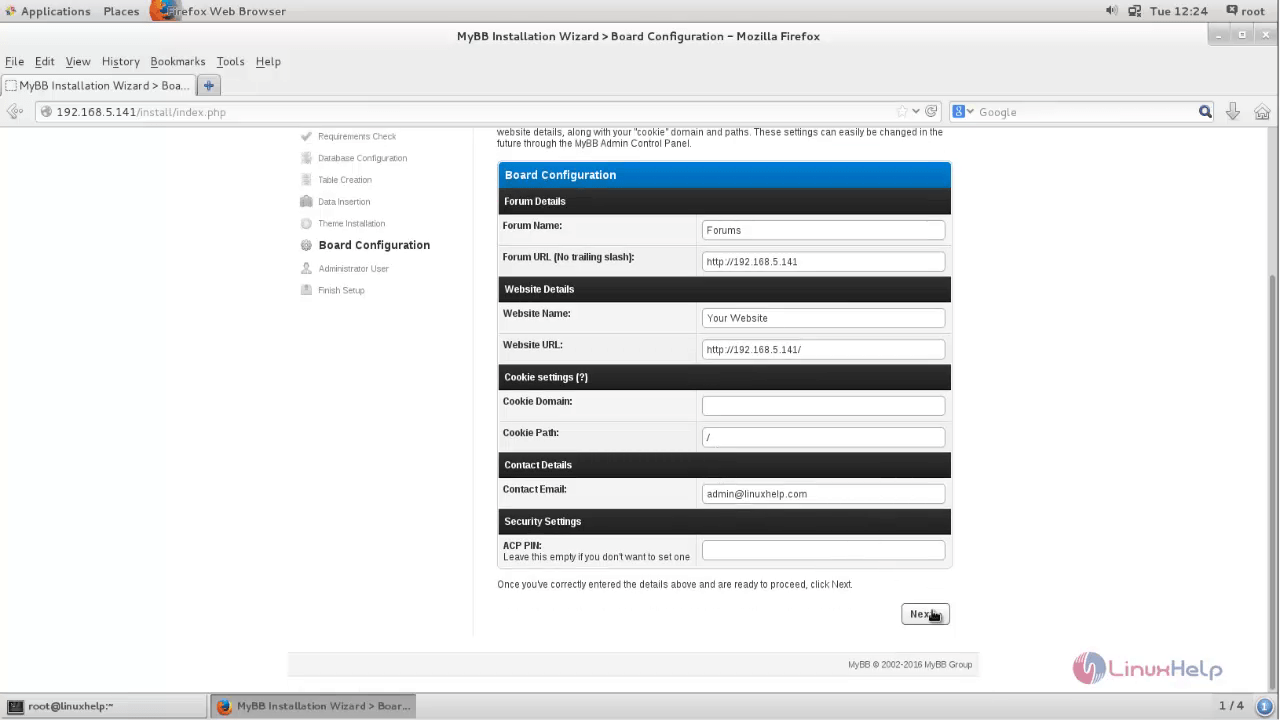
Enter your Site configuration details and click Next.
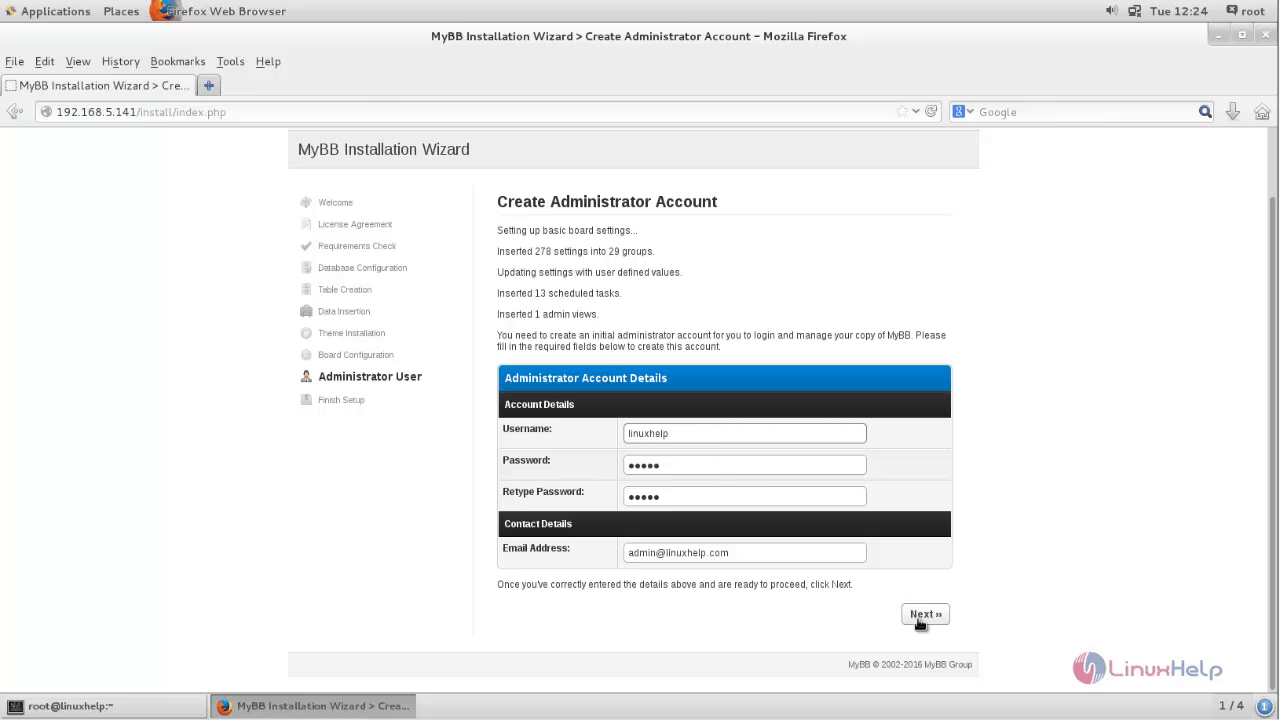
Create admin account details and click Next.
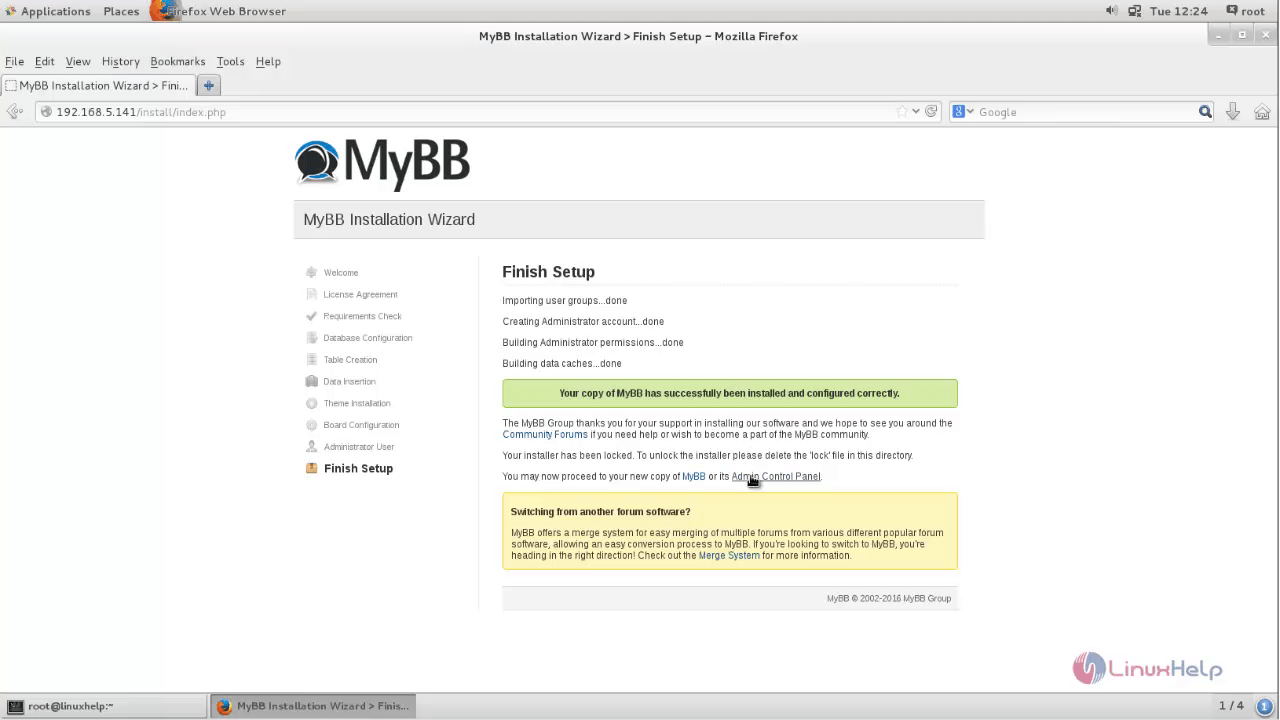
Click Admin Control Panel
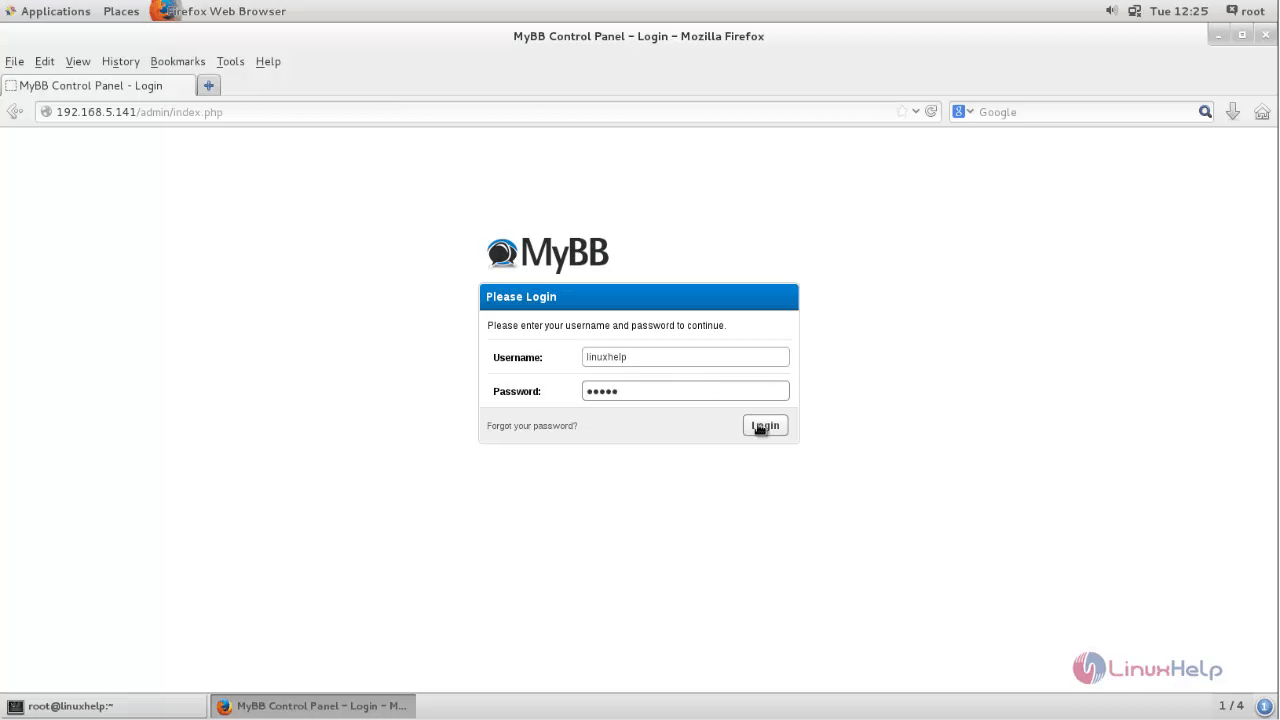
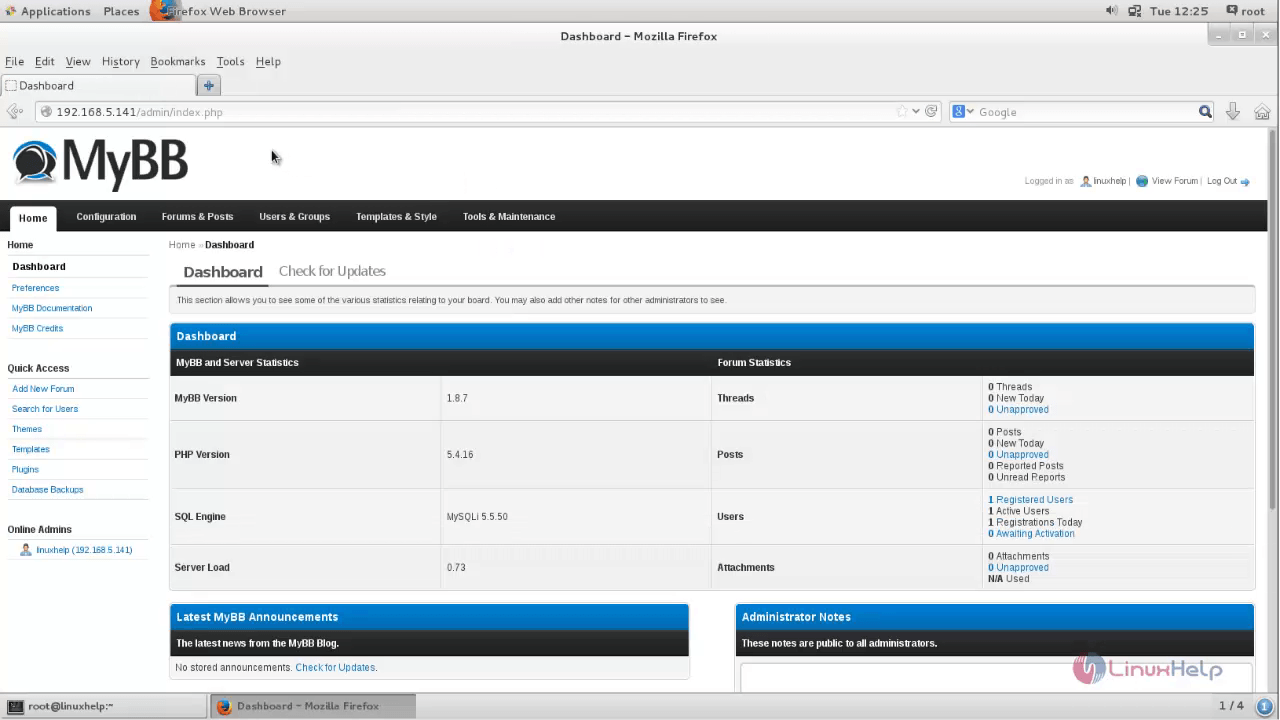
Once all the basic configurations is done, enter the user credentials to start enjoying MyBB
Comments ( 0 )
No comments available