How to Install Bludit CMS on CentOS 7.5
- 00:47 rpm -q centos-release
- 01:03 wget https://www.bludit.com/releases/bludit-3-8-1.zip
- 01:15 unzip bludit-3-8-1.zip
- 01:27 mv bludit-3-8-1 /var/www/bludit
- 01:41 chown -R apache:apache /var/www/bludit
- 01:52 chmod -R 755 /var/www/bludit
- 02:05 vim /etc/httpd/conf.d/bludit.conf
- 03:01 systemctl restart httpd
Installation of Bludit CMS on CentOS 7.5
Bludit is a free, open-source and simple web application with which you can create your website or blog within few minutes. Since the Bludit application has files in JSON format for storing the content, there isn' t any necessity to install or configure a database. Although, you need to make sure that you have a web server with PHP support for using it. This tutorial covers the installation of Bludit CMS on CentOS 7.5
Requirement of Bludit CMS:
Apache
PHP and its modules
php php-gd php-curl php-zip php-soap php-mbstring php-mcrypt php-xml php-curl php-cli php-ldap php-imap php-mysql
Before you begin, make sure you check your CentOS version by using the following command.
 [root@linuxhelp ~]# rpm -q centos-release
centos-release-7-5.1804.el7.centos.x86_64
Download the Bludit cms installation package with the help of the following command.
 [root@linuxhelp ~]# wget https://www.bludit.com/releases/bludit-3-8-1.zip
--2019-04-30 00:44:28--  https://www.bludit.com/releases/bludit-3-8-1.zip
Resolving www.bludit.com (www.bludit.com)... 104.27.171.56, 104.27.170.56, 2606:4700:30::681b:ab38, ...
Connecting to www.bludit.com (www.bludit.com)|104.27.171.56|:443... connected.
HTTP request sent, awaiting response... 200 OK
Length: 1367695 (1.3M) [application/zip]
Saving to: ‘bludit-3-8-1.zip’

100%[==========================================================>] 1,367,695    834KB/s   in 1.6s

2019-04-30 00:44:31 (834 KB/s) - ‘bludit-3-8-1.zip’ saved [1367695/1367695]
Once the download is completed extract the download package using unzip command.
 [root@linuxhelp ~]# unzip bludit-3-8-1.zip
Archive:  bludit-3-8-1.zip
   creating: bludit-3-8-1/
  inflating: bludit-3-8-1/install.php
  inflating: bludit-3-8-1/index.php
  inflating: bludit-3-8-1/LICENSE
   creating: bludit-3-8-1/bl-languages/
.
.
 inflating: bludit-3-8-1/bl-plugins/disqus/languages/uk_UA.json
  inflating: bludit-3-8-1/bl-plugins/disqus/languages/es.json
  inflating: bludit-3-8-1/bl-plugins/disqus/languages/pl_PL.json
   creating: bludit-3-8-1/bl-content/
  inflating: bludit-3-8-1/.htaccess
Move the Bludit cms directory to apache root directory.
[root@linuxhelp ~]# mv bludit-3-8-1 /var/www/bludit
Set the ownership and permission for Bludit cms by using the following command
[root@linuxhelp ~]# chown -R apache:apache /var/www/bludit
 [root@linuxhelp ~]# chmod -R 755 /var/www/bludit
Configure the virtualhost for accessing the Bludit cms
[root@linuxhelp ~]# vim /etc/httpd/conf.d/bludit.conf
Restart the apache service by using the following command.
[root@linuxhelp ~]# systemctl restart httpd
Switch to your browser and enter the domain name.
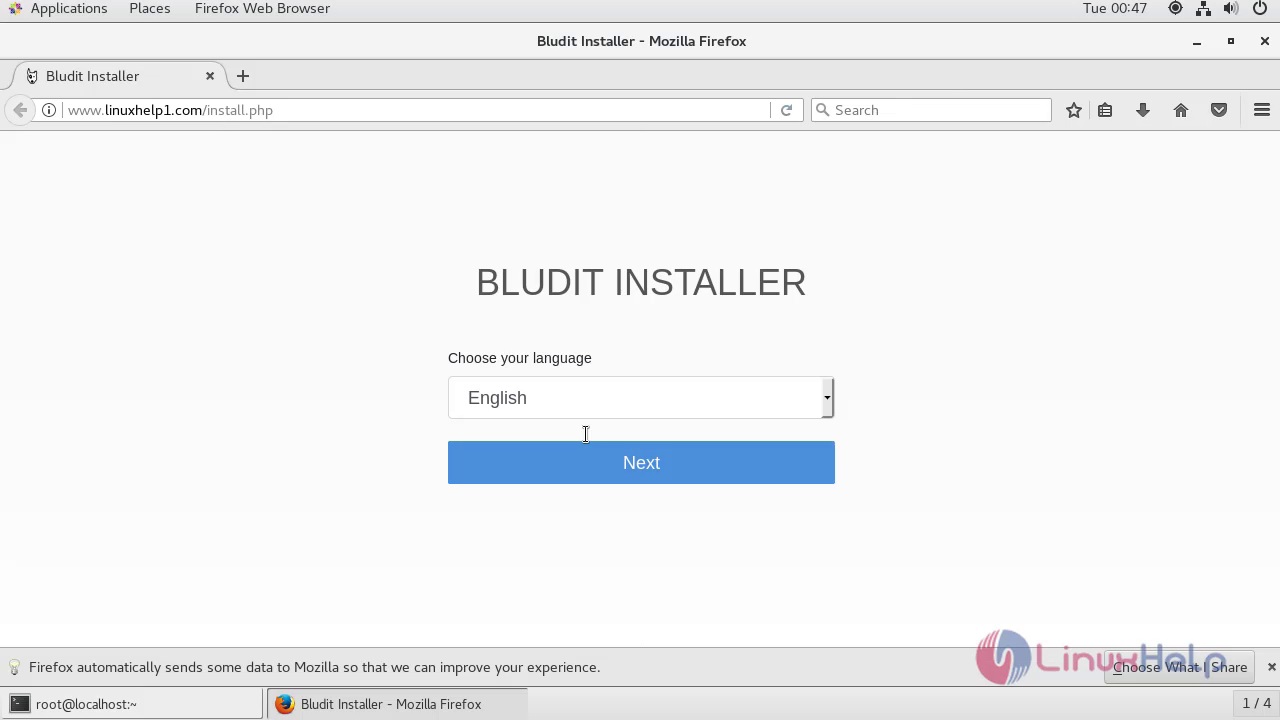
 Choose the language for using Bludit and click next.
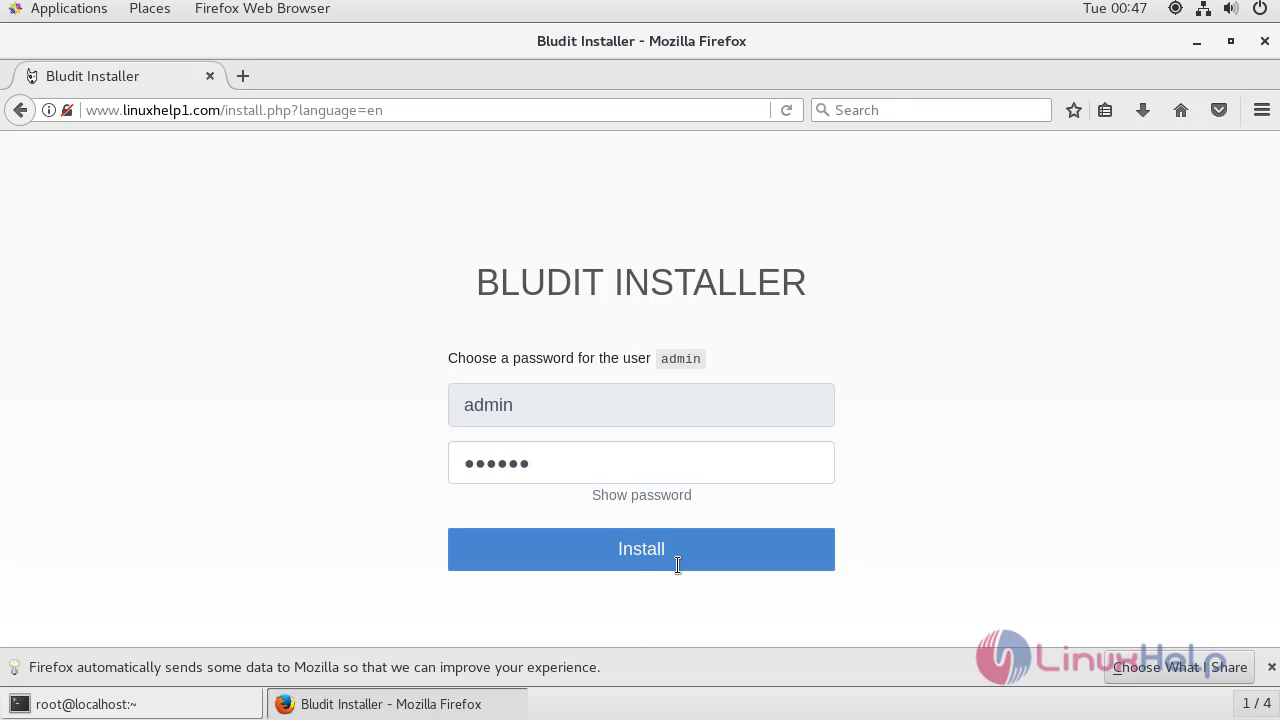
Configure the admin user setup.
 After the configuration, you will see the dashboard of Bludit CMS.
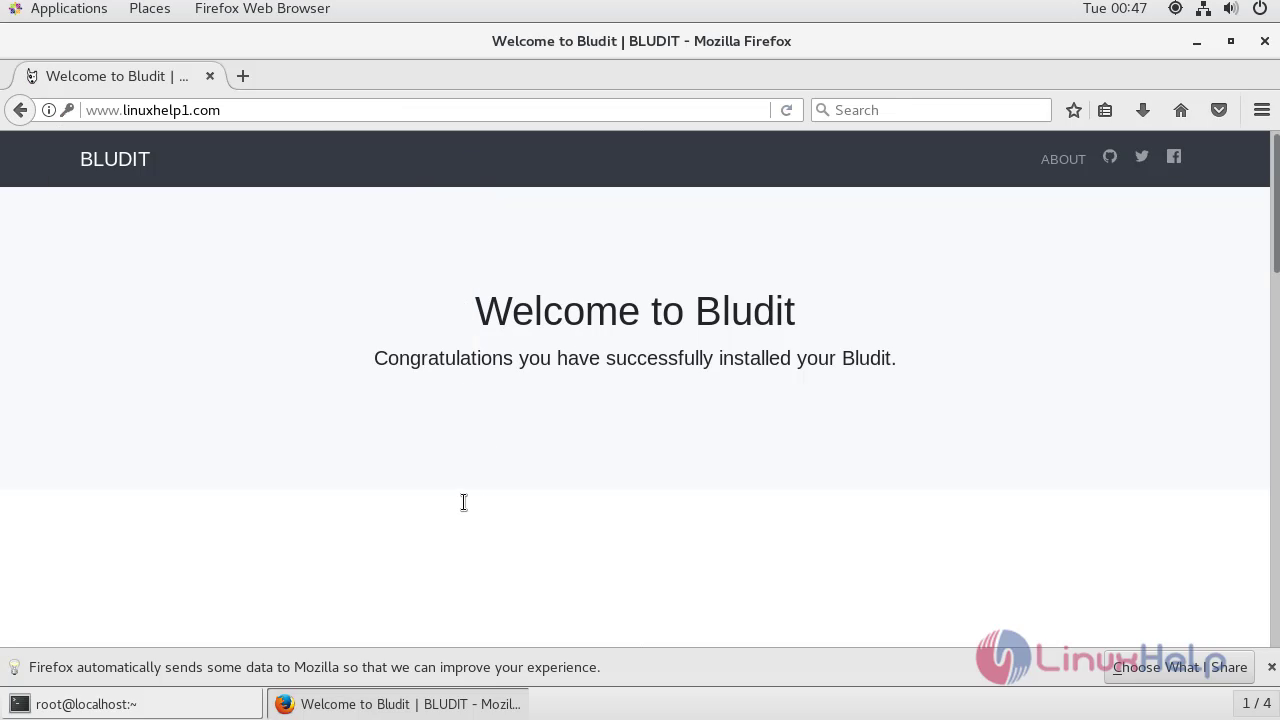 With this, the method to install Bludit cms on centos 7.5 comes to an end.
Comments ( 0 )
No comments available